
ProdPad CoPilot
-
Availability
- Plan: All MV2 Users
- On a legacy plan? Click here for more info
-
Roles and Permissions
- CoPilot Access: Admins, Editors and Reviewers
We're excited to introduce you to CoPilot for ProdPad—your new ally in product management. Whether you're a seasoned pro or just starting out, CoPilot is here to help you every step of the way.
What is CoPilot?
Think of CoPilot as your personal product management assistant. It's always ready to offer expert advice, streamline your workflow, and help you make the most of ProdPad. Imagine having a product coach, data analyst, and navigation guide all in one!
What CoPilot is NOT
While CoPilot is packed with features, it won't make decisions for you or replace your expertise. Instead, it's here to empower you with insights, recommendations, and support, so you can make informed choices confidently.
Where can I find CoPilot PM?
Go to the side navigation and click CoPilot PM, or use the keyboard shortcut (shift+ctrl+q).
 If you are a Slack integration user, go to the ProdPad App direct messages and ask your question or @ mention ProdPad in a public channel
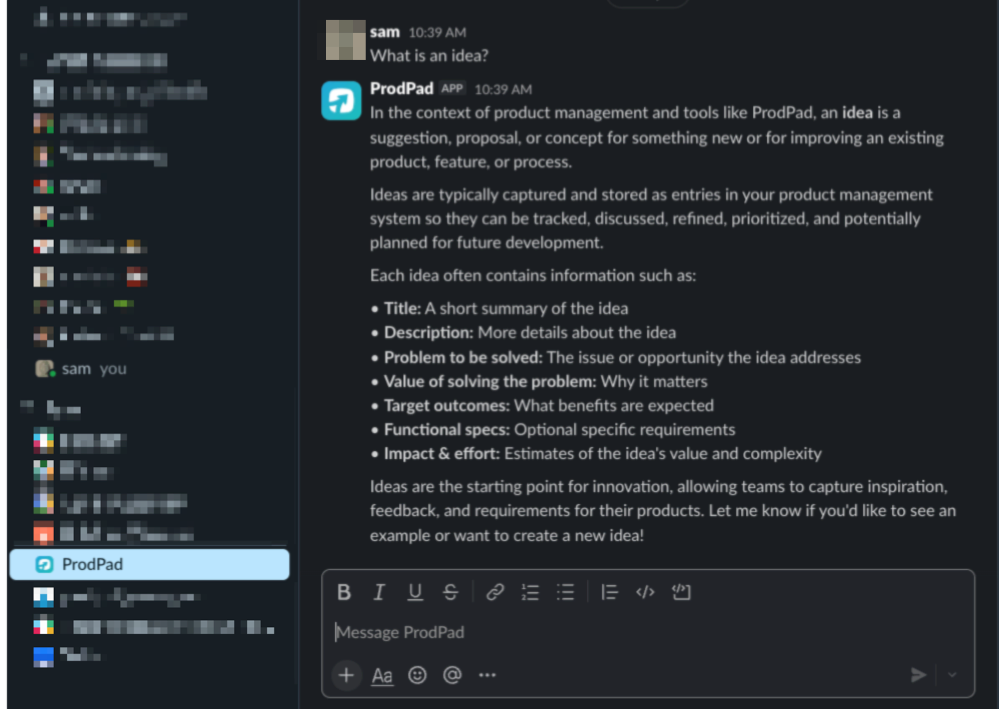
Here's how CoPilot can help:
Below are some prompts you can ask CoPilot to assist you with:
- What makes for a good roadmap?
- What makes for a good OKR?
- Summarise the last few Feedback.
The key to getting great answers from CoPilot is crafting a clear prompt. Let's look at some tips to help you get the most out of CoPilot!
How to Get the Best Results:
CoPilot is designed to be your helpful assistant, speaking in a friendly, conversational way. While it doesn't know about you or your role specifically, it can access all the information in your ProdPad account about your Products and Business. Keep this in mind when asking questions, and try to be specific about what you want to know or do.
1. Be Specific with Your Question
The more detailed your question, the better CoPilot can help you. Giving context also helps CoPilot understand exactly what you need. You can mention:
- How you'll use the information.
- Who the audience is.
- Specific ProdPad resources (Ideas, Initiatives, Feedback, Personas, Objectives).
2. Break Down Complex Requests.
For tricky questions, try breaking them into smaller parts. This helps ensure clear and accurate responses. For example, ask about getting product details first, and then ask about Ideas or Feedback linked to that product.
Handy Phrases to Use:
"Show me..." to get information on Products, Ideas, Feedback, OKRs, and Initiatives.
"Find..." to search for specific content based on tags, dates, Products, Personas, etc.
"What..." when you need detailed information or status updates on anything in ProdPad.
Remember, the more you use CoPilot, the better you'll get at crafting prompts. Don't be afraid to experiment and refine your questions to get the best results. Happy product managing with CoPilot!
| ProdPad CoPilot is available on the following Legacy plans |
| Enterprise |